
Overview
Picture this: you spend three hours polishing your resume. New fonts, a subtle color accent, a two-column layout that looks like it belongs in a design portfolio. You hit submit, feeling pretty good about yourself. Then... silence. No callback, no rejection email, nothing. What actually happened is that a piece of software never even "saw" half your resume, because it wasn't in the right ATS resume format.
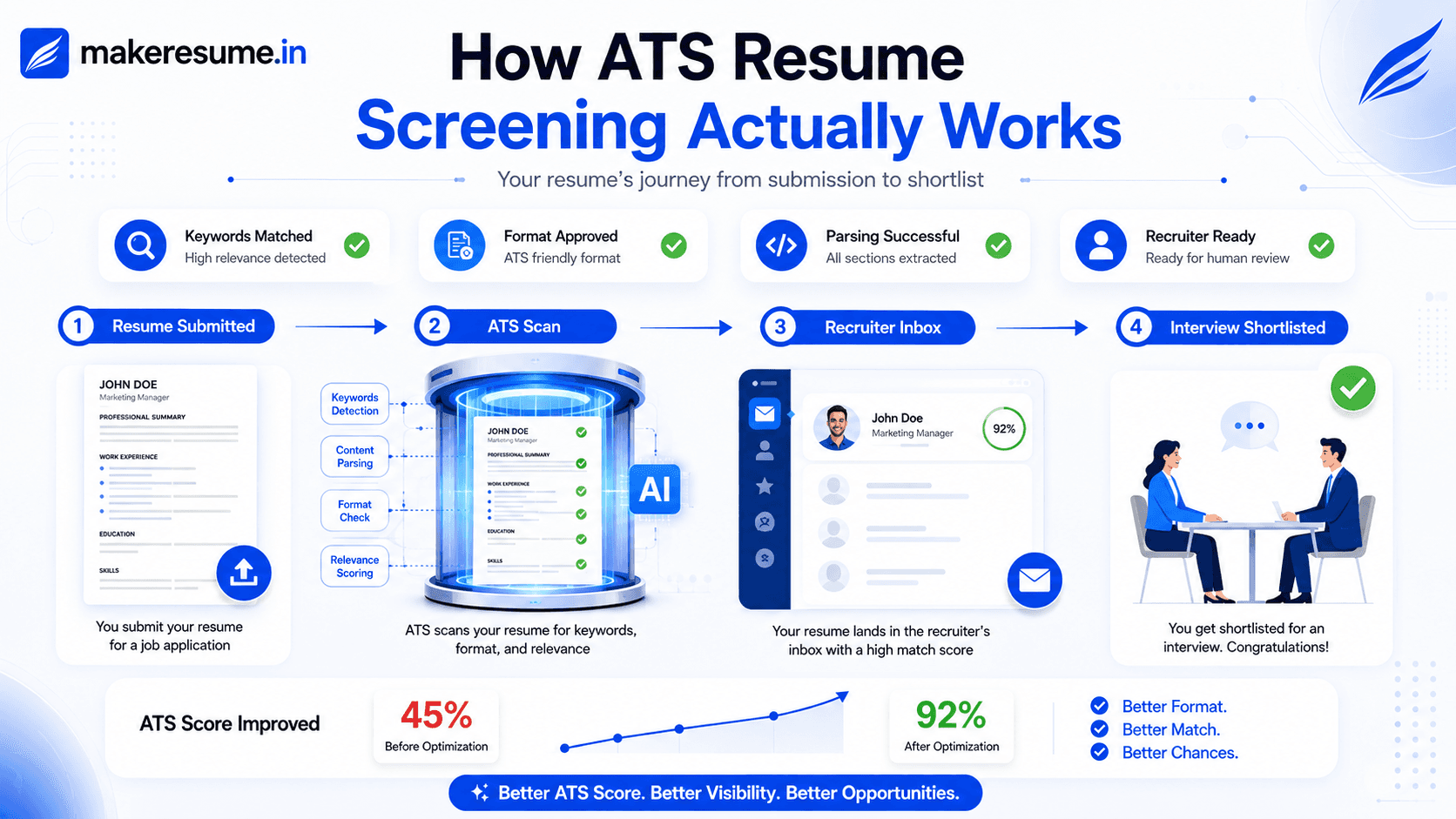
Here's the uncomfortable truth: before a human recruiter ever lays eyes on your application, a computer program usually reads it first. That's the applicant tracking system, or ATS, and it's ruthless about formatting. Get the ATS resume format wrong, and your carefully written accomplishments might as well not exist. Get it right, and you've cleared the first, and honestly the sneakiest, hurdle in the hiring process.
This guide walks you through exactly what an ATS-friendly resume format looks like, why it matters more than people realize, and how to fix the small things that quietly sabotage good resumes every single day.
What Is an ATS Resume Format, and Why Should You Care?
An ATS resume format simply means structuring your resume so that applicant tracking software can read it cleanly, without stumbling over graphics, columns, or oddly labeled sections. The ATS doesn't appreciate a beautifully designed layout the way a person might. It works more like a strict, rule-following clerk, scanning line by line and slotting your information into fields. Creative flair means nothing to it. It just scans, sorts, and scores.
Most mid-size and large companies use some form of ATS today. LinkedIn job postings, corporate career pages, even a lot of startups run resumes through one before a human touches them. So if your resume isn't built with the right ATS resume format in mind, you're essentially applying with one hand tied behind your back.
Here's a little story to make it real. A friend of mine, sharp, well-qualified, five years of solid experience, applied to over 40 jobs and got almost nothing back. We eventually opened her resume and realized it was built entirely in text boxes inside a slick template. Visually gorgeous. Functionally invisible to an ATS. The moment she rebuilt it in a clean, single-column ATS resume format, she had three interviews within two weeks. Same experience, same skills, just a format the software could actually parse.
The Core Rules of a Proper ATS Resume Format
Let's get into specifics. "Keep it simple" sounds nice in theory, but it doesn't actually tell you what to do.
1. Ditch the Multi-Column Layout
It might look modern, but a lot of parsing engines read left to right, top to bottom. A two-column ATS resume format often gets scrambled: your skills section might merge with your work history, or vanish entirely.
2. No Tables, No Text Boxes
If content lives inside a table cell or a floating text box, plenty of systems simply skip over it. That's often how strong candidates get filtered out without ever knowing why.
3. Use Standard, Boring Section Headings
I know, "boring" doesn't sound like great branding advice. But headings like "Work Experience," "Education," and "Skills" are instantly recognized by parsing software. Creative titles like "My Story" or "Where I've Been" usually confuse the system, and that content just gets ignored.
4. Stick With Common Fonts
Arial, Calibri, Garamond. Nothing fancy. Decorative fonts can turn into garbled text once the ATS converts your file to plain text.
5. Keep Contact Info in the Main Body
Not the header. Not the footer. A shocking number of resumes lose their own phone number and email because that section lives in a header that many systems don't even scan.
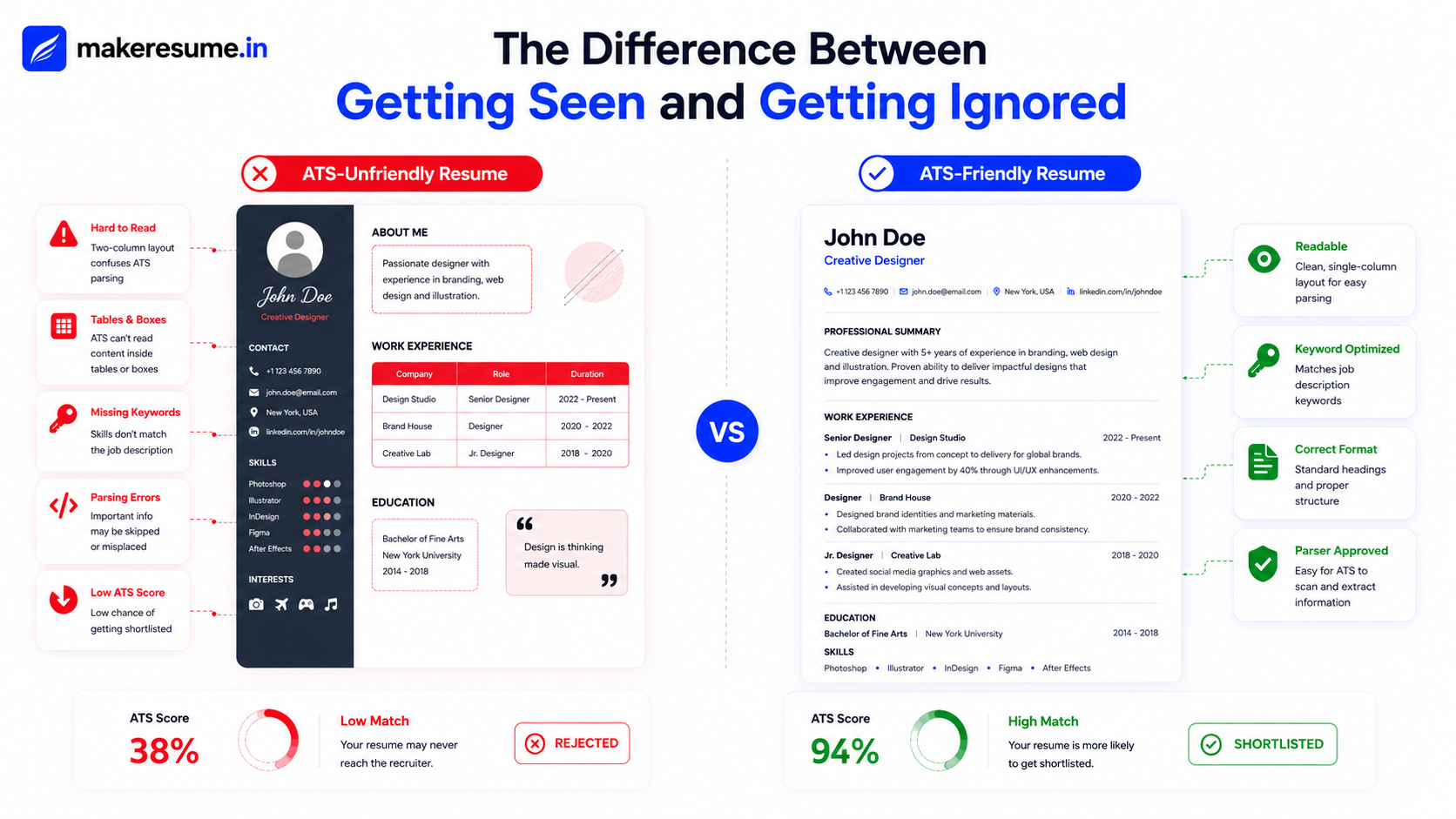
How Keyword Matching Fits Into Your ATS Resume Format
Formatting alone won't get you hired. The ATS also scores how well your resume matches the job description. This is where a lot of people get it half right. They format properly but forget the words matter just as much as the shape.
If a job listing says "Project Management" and your resume says "Managing Projects," some systems may not register that as a match. Sounds a little rigid, doesn't it? But that's exactly why mirroring the job description's exact phrasing, wherever it's genuinely true of your experience, is such a simple win.
A well-built ATS resume format pairs clean structure with the right vocabulary, and honestly, skipping either half leaves you stuck halfway to the goal.
Common Myths About ATS Resume Format You Should Ignore
There's a fair bit of conflicting advice floating around online, so it's worth setting the record straight on a few points:
- Myth: "ATS software rejects resumes with any design at all." Not true. A clean design with a single column, consistent fonts, and clear section breaks is perfectly fine.
- Myth: "You need to stuff keywords everywhere." Overdoing it can actually make your resume read poorly to the human who eventually opens it, and yes, a human still does.
- Myth: "PDF always breaks ATS parsing." The reality is more forgiving. The vast majority of current-generation systems parse PDFs without any trouble at all. It tends to be the outdated or badly maintained platforms that trip up, so it's always worth double-checking the job posting for specific format instructions.
Quick Checklist: Is Your Resume in the Right ATS Resume Format?
Ask yourself honestly:
- Is it a single column, free of tables and text boxes?
- Are your section headings standard and easy to recognize?
- Is your contact information in the main body of the page?
- Does your skills section reflect the same language as the job description?
- Have you tested it, not just eyeballed it?
That last point matters more than people think. You can follow every rule above and still miss something small. That's why it's worth running your resume through an actual scanner before you hit "apply" for the twentieth time this month.
Wrapping It Up
At the end of the day, a strong ATS resume format isn't about outsmarting a machine. It's about making sure your real skills and experience actually get read. Formatting shouldn't be the reason a great candidate never hears back. Once your resume speaks the language both the software and the recruiter understand, you've already cleared the hardest, most invisible hurdle in the process. Get the ATS resume format right, and the rest of your job search finally gets a fair shot.
Ready to see how your resume actually scores? Check your resume for free. It takes less than a minute and shows you exactly what to fix.
Frequently Asked Questions
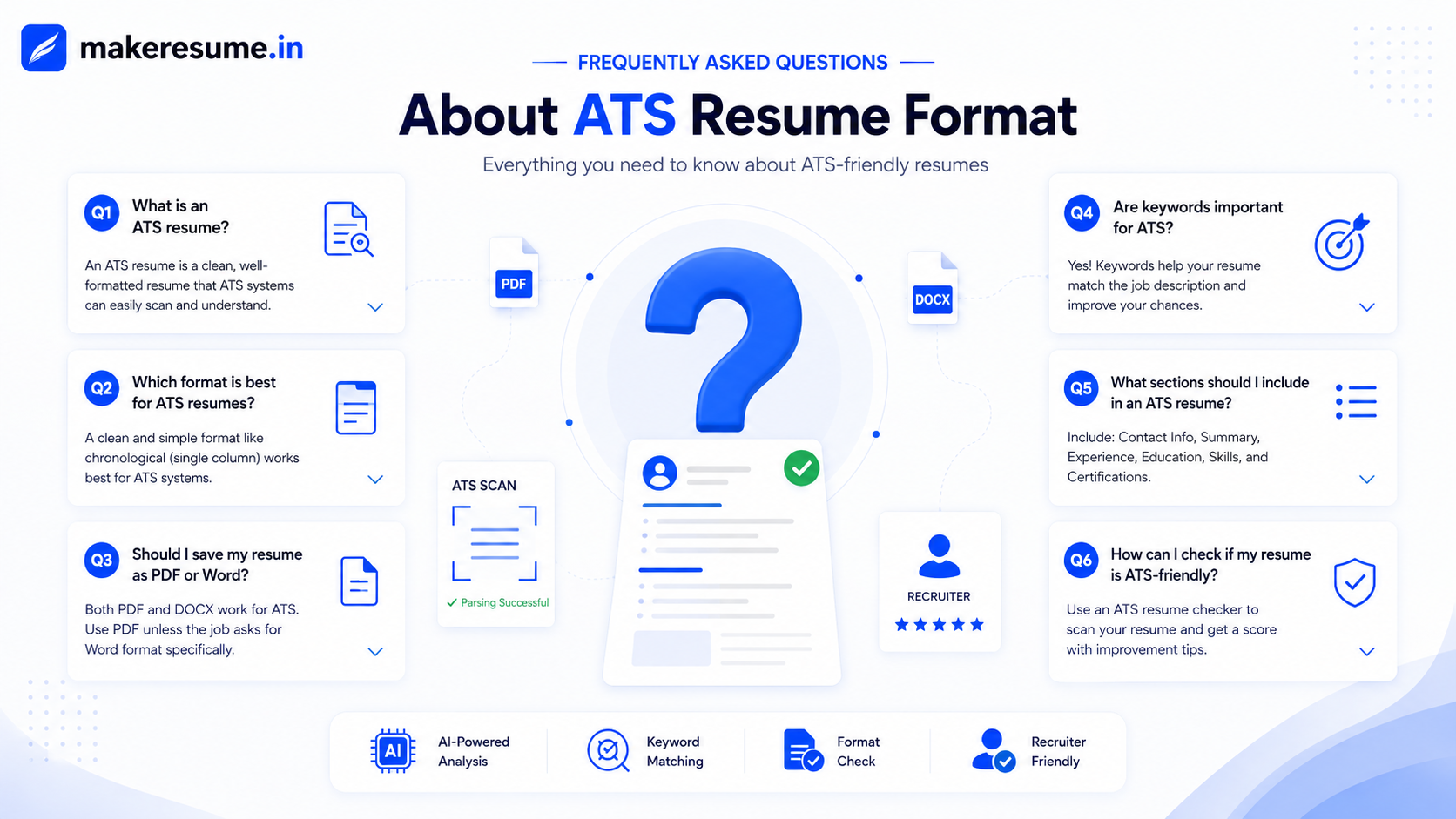
What is the safest ATS resume format to use?
A single-column layout with standard section headings, common fonts, and no tables, graphics, or text boxes is the safest ATS resume format across most tracking systems.
Does an ATS resume format mean my resume has to look boring?
Not at all. You can use bold section headers, clean spacing, and subtle formatting. You just need to avoid columns, tables, and decorative fonts that break parsing.
Should I save my resume as PDF or Word for ATS?
PDF works for most modern systems. Only switch to Word (.docx) if a job posting specifically asks for it.
How do I know if my resume is actually in a proper ATS resume format?
The most reliable way is to run it through an ATS scanner that checks formatting and keyword match. Guessing based on how it looks to your eye isn't enough.